Parent Check
PEGI 3- Contact with strangersLow–medium. Online matches with strangers, but Epic disables voice and free text chat for under-13s until a parent consents.
- Pressure to spendMedium. Credits buy Item Shop cosmetics, Blueprints and the premium Rocket Pass. Paid crates were replaced by Blueprints.
- Violence & scary bitsLow. No violence: cars, a ball and goals. Matches can be fast and competitive.
- "Just one more" pullMedium. Seasonal Rocket Pass and a rotating Item Shop encourage regular returns.
- Content made by other playersLow. Little player-made content; other players mainly appear through names and chat.
PEGI 3 with no content descriptors, but those PEGI entries date from 2015-2018, before the game went free-to-play and added its shop. We couldn't check the current digital store rating, and PEGI's 2026 changes mean ratings for live games may be updated. Dials are our editorial view of documented features (1 = low concern, 5 = high), not test scores. How we score.
Is it right for my child?
Slide to your child's age. Nothing is stored or sent.
Rocket League at a glance
| Age rating | PEGI 3 (pre-free-to-play entries) |
|---|---|
| Price | Free-to-play |
| Platforms | PC, PlayStation 4, Xbox One, Nintendo Switch |
| In-game currency | Credits (Item Shop, Blueprints, Rocket Pass) |
| Paid random items | Paid crates replaced by Blueprints (2019) |
| Online chat | Text and voice, controlled by Epic account settings |
| Parental controls | Epic Parental Controls plus console controls |
Tonight's three moves +XP
Tick them off as you go. Your progress is saved on this device only.
Rocket-powered cars and a giant ball: what a match involves
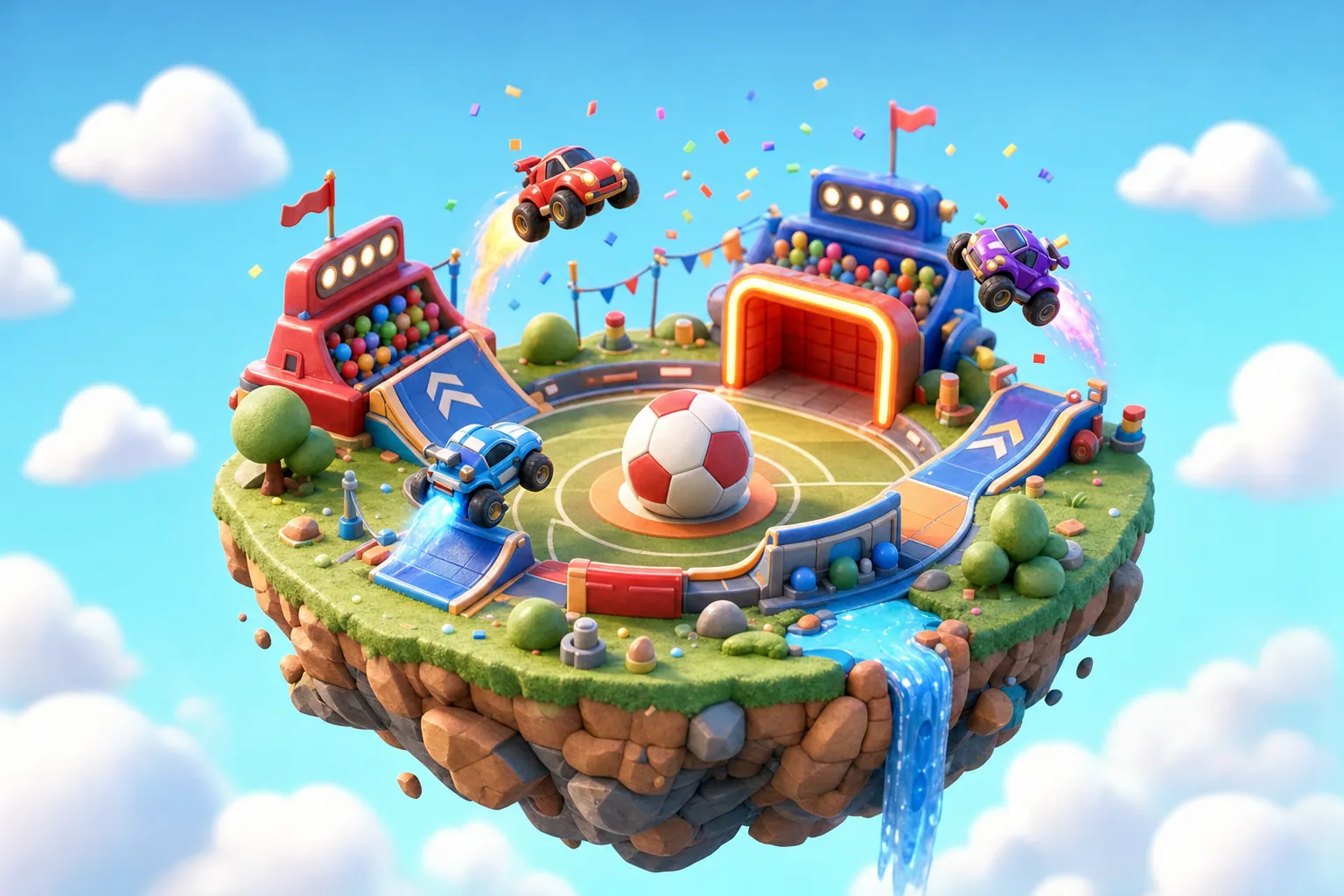
Rocket League is easiest to describe the way PEGI does: soccer meets driving. Small teams of cars drive, jump and boost around an enclosed pitch, trying to knock an oversized ball into the other team's goal. It's made by Psyonix, which is owned by Epic Games, the company behind Fortnite.
Matches are short and timed, and then it's straight on to the next one. We couldn't confirm the exact match length from an official source, but a session usually means a run of several quick games rather than one long sitting.
Most play is online, matched with or against other players, either just for fun or in Competitive matches, where results affect a player's rank. Friends can also team up online.
It's available on PC, PlayStation 4, Xbox One and Nintendo Switch. There's also a mobile game called Rocket League Sideswipe, but that's a separate game with its own listing (4+ on the UK App Store), so this guide doesn't cover it.
A PEGI 3 that predates the free-to-play switch
PEGI lists Rocket League at 3, with no content descriptors: suitable for all ages. That's accurate for what happens on screen.
The detail worth knowing is the date. The PEGI database entries are from 2015 to 2018, before Rocket League went free-to-play in 2020. They don't show an in-game purchases descriptor, even though today's version has an Item Shop and a premium Rocket Pass. We weren't able to check the rating shown on the current digital store listings, so look at your console's store page for the latest information.
What changed in 2026
In June 2026 PEGI changed its criteria. New games with time-limited offers can now be rated 12, and games with paid random items 16. From October 2026, PEGI is re-rating existing digital-only games with paid random items. Rocket League no longer sells paid crates, but because the rules for live games are moving, the number on the store could change after we checked on 3 November 2026.
Our age ratings explainer covers what the 2026 PEGI changes mean across games.
Credits, Blueprints and the Rocket Pass
Rocket League costs nothing to download. The money comes from cosmetic extras, bought with a currency called Credits, which you buy with real money.
- Item Shop: items for customising how a car looks, bought with Credits.
- Rocket Pass: a seasonal reward track. There's a premium track that's bought with Credits, unlocking extra rewards as your child plays.
- Blueprints: in December 2019 Psyonix replaced paid random crates with Blueprints. A Blueprint shows exactly which item it will make, and the player then decides whether to spend Credits to build it.
Is there anything random left?
There's a Trade-In system that lets players swap duplicate items for a random item. Players don't pay money directly for that. Separately, Psyonix removed player-to-player trading on 5 December 2023, which ended the swapping of items between players.
Shop items change how a car looks, not how well your child plays. That's worth saying out loud to a child who feels they "need" a new car body to keep up. If you'd like to allow some spending, a fixed amount loaded onto the console wallet each month works well: when it's gone, it's gone, and your child learns to choose between the shop and the Rocket Pass. See our in-game spending guide for more.
The rotating Item Shop and seasonal deadlines
Like most free-to-play games, Rocket League is designed to bring players back regularly. Two features do most of that work.
The Item Shop rotates. Items appear for a limited time and then disappear, which can make a child feel they must buy something today. A simple family rule is to wait a day before buying anything from the shop.
The Rocket Pass runs by season. Once the premium track is bought, there's a natural pull to keep playing until the season's rewards are collected.
Ranked play
Competitive matches add another layer. Each win or loss moves a player's rank, and "one more game to rank up" is a very familiar evening phrase. Because ranked matches involve teammates, quitting mid-match lets other people down; agreeing to stop between matches rather than during one avoids a lot of arguments.
- Agree a number of matches, not a time.
- Give a five-minute warning before the last match starts.
- Back it up with a daily limit on the console.
There's more on this in screen time and routines.
Your child's Epic account decides who can talk to them
Rocket League uses Epic Games accounts, so its chat is governed by the same Epic Parental Controls that cover Fortnite and Fall Guys. If you've set those up already for Fortnite, check that the same account is being used.
Protections built in for under-13s
Epic puts children under 13 (or under the local age of digital consent) on a Cabined Account. In a Cabined Account, voice chat and free text chat are off until a parent gives consent. Epic says voice and text reporting are always on for under-18s.
The settings you can choose
- Epic Voice Chat Permission and Epic Text Chat Permission: Everybody; Friends, team members, & connections; Friends Only; or Nobody. Under-10s are capped at Friends Only.
- Require a PIN to Add Friends: your PIN is needed before friend requests go through.
A child whose account was made with an older, made-up birthday won't get a Cabined Account, so check the date of birth first. Our online chat guide has more on talking about strangers.
Skill, teamwork and quick wins worth celebrating
Rocket League is one of the few big online games where the main draw is pure skill. There's no violence, no story to vet, and nothing on screen you'd mind a grandparent seeing.
- Real improvement: learning to hit the ball in the air takes practice, and children can see themselves getting better.
- Teamwork: passing and positioning matter, much like real football.
- Short matches: natural breaks make it easier to stop than games with open-ended sessions.
- Free to start: no upfront cost, and nothing in the shop is needed to play.
- Sensible chat defaults: Epic's Cabined Accounts protect under-13s from the start.
For other games that suit primary-school children, see our 7 to 9 and 10 to 12 age pages, or our Fortnite guide if your child uses the same Epic account there.
Locking down Epic and the console for Rocket League
Rocket League needs two layers of settings: your child's Epic account, and the console or PC itself.
Epic account
- Go to epicgames.com/account/parental-controls and sign in to your child's Epic account (the one they actually play on).
- Choose Parental Controls and create a 6-digit PIN your child doesn't know.
- Set Epic Voice Chat Permission and Epic Text Chat Permission.
- Turn on Require a PIN to Add Friends and Require a PIN for Epic Games Payments.
Full details are on our Epic and Fortnite controls page.
Console or PC
Epic's PIN covers payments through Epic, not purchases made through PlayStation, Xbox or Nintendo stores. Epic's time limit controls are documented for Fortnite, not Rocket League, so use the console for time too.
- PlayStation: Monthly Spending Limit (starts at 0) and Playtime Settings.
- Xbox: Ask to buy and the Screen time schedule.
- Nintendo Switch: eShop Spending Restrictions in your Nintendo Account, and Play Time Limit in the Parental Controls app.
Which Epic account is the console really using?
The most common reason Epic's parental controls "don't work" is that they've been set on the wrong account. Children who play on a console often end up with a separate Epic account created when they first launched the game, while the one a parent set up on a computer sits unused.
Epic's advice is to set controls on the account your child actually plays on, and to compare the Account ID to make sure. A few minutes spent checking saves a lot of confusion later.
- Find the Account ID shown in your child's game or console account settings.
- Sign in at epicgames.com with the account you think is theirs and compare the Account ID.
- If they don't match, set up Parental Controls on the one they use.
The birthday matters too
Cabined Accounts and the age caps on chat depend on the date of birth. If your child entered an older birthday to get past a screen, they won't get those protections automatically. That's worth a calm conversation rather than a telling-off; it's a very common shortcut.
The same account and the same settings carry across Fortnite and Fall Guys, so if your child plays those too, one setup covers all three. See our Fall Guys guide for that game's details.
Rocket League for a primary-school child: a sensible yes with setup
Rocket League is about as gentle as a competitive online game gets in content terms: no violence, no bad language in the game itself and a sport most children already understand. The old PEGI 3 reflects that.
What the rating doesn't cover is the free-to-play side. Credits, a rotating Item Shop and a seasonal Rocket Pass are designed to encourage spending and regular play, and online matches mean strangers. Epic's Cabined Accounts handle the chat side well for under-13s, as long as the birthday on the account is right.
A good setup for most families:
- Epic PIN set, chat at Friends Only or Nobody, PIN to add friends.
- Console spending at zero or approval-only, with an agreed Credits budget if you want one.
- A daily limit on the console, and a "stop between matches" rule.
With those in place, it's mostly a football game that happens to involve cars, and a good one to play together.
Parents also ask about Rocket League
Is Rocket League OK for a 7 year old?
The content is rated PEGI 3, with no violence. For a 7-year-old the things to set up are the Epic account (under-13s get a Cabined Account with chat off until you consent) and console spending limits, as Credits cost real money.
Is Rocket League free?
Yes, it's been free-to-play since 2020. It sells Credits, which buy cosmetic items in the Item Shop, Blueprints and the premium Rocket Pass.
Does Rocket League have voice chat?
Yes, text and voice chat are available, controlled by Epic account settings. Under-13s have voice and free text chat off until a parent consents, and voice reporting is always on for under-18s.
Does Rocket League have loot boxes?
Paid random crates were replaced by Blueprints in December 2019, which show the item before you spend Credits. A Trade-In system swaps duplicate items for a random one, with no direct payment.
Do Fortnite parental controls work on Rocket League?
Yes for chat, friends and Epic payments, because both use the same Epic account. Epic's time limit controls are documented for Fortnite only, so set play time on the console instead.
Is Rocket League Sideswipe the same game?
No. Rocket League Sideswipe is a separate mobile game, rated 4+ on the UK App Store. This guide covers the main Rocket League on PC and consoles.
Sources we checked
Facts on this page were checked against these sources on 3 November 2026. Settings and ratings change, so if something looks different on your screen, tell us and we will re-check.
- https://pegi.info/search-pegi?q=Rocket+League
- https://safety.epicgames.com/en-US/parental-controls
- https://safety.epicgames.com/en-US/cabined-accounts
- https://egmnow.com/rocket-league-adding-blueprints-and-an-item-shop/
- https://www.rocketleague.com/en/news/removing-playertoplayer-trading-in-december
- https://apps.apple.com/gb/app/rocket-league-sideswipe/id1549027048
- https://pegi.info/news/pegi-updates-age-ratings-existing-games-paid-random-items
- https://www.playstation.com/en-gb/support/account/ps5-parental-controls-spending-limits/
- https://support.xbox.com/en-GB/help/subscriptions-billing/buy-games-apps/purchase-settings-for-child-account
- https://www.nintendo.com/en-gb/Support/Nintendo-Switch/How-to-Set-Nintendo-eShop-Restrictions-1406403.html